
Most people who struggle with XX555 installation make the same two mistakes. They either download from the wrong source or skip one small settings step on their phone. Both problems are completely avoidable. This guide fixes that before it happens to you.
One Thing to Check Before You Download
Your phone needs at least 12MB of free storage before installation begins. XX555 itself is only 7.2MB but the app creates additional cache files during first launch. Clear some space beforehand to avoid installation errors halfway through.
Also make sure your internet connection is stable. A interrupted download corrupts the APK file and forces you to start over. WiFi is recommended over mobile data for the smoothest experience.
Android Installation — The Right Way
Open your phone browser and go directly to the official XX555 website. Avoid searching the app name on Google — unofficial download links appear in search results and carry real security risks.
Tap Download and wait for the APK file to finish saving. Your browser will show a download progress bar at the top or bottom of the screen.
Here is the step most Android users miss. Before tapping the APK file to install it, go into your phone Settings first. Find Security or Privacy — the exact name differs slightly between Samsung, Oppo, Vivo, and other brands. Look for Install Unknown Apps or Allow from this Source and switch it on.
Now return to your Downloads folder, tap the XX555 file, and confirm installation. The entire process from tap to launch takes under 45 seconds on most Android phones.
iPhone Installation — Safari Only
This is critical — the installation only works through Safari. Opening the XX555 website in Chrome or Firefox on iPhone will not trigger the correct download prompt. Switch to Safari before you begin.
Visit the official site, tap the iOS download option, and allow the profile to download when your phone asks for permission. Once downloaded, open your iPhone Settings. Go to General, then scroll down to VPN and Device Management. The XX555 profile appears here. Tap it and select Trust.
The app icon appears on your home screen immediately after. No App Store needed. No complicated workarounds.
Laptop and Desktop Users
Skip the download entirely. XX555 runs as a full web application inside any modern browser. Chrome and Firefox both work perfectly. Visit the official site, click the online play option, log in with your account, and your complete dashboard loads within seconds.
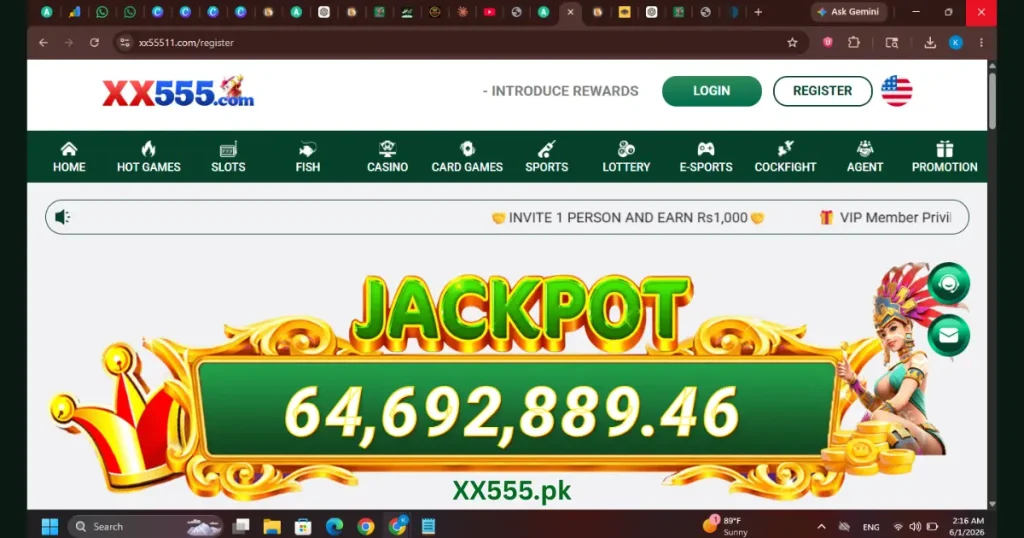
Every feature available on mobile — games, wallet, withdrawals, referrals — works identically on the web version. Players who prefer a larger screen find the web version actually more comfortable for card games and sports betting.
Common Installation Errors and Quick Fixes
“App not installed” message on Android This almost always means Unknown Sources permission was not enabled before tapping the APK. Go back into Settings, enable the permission, then tap the file again.
APK file not downloading Your browser may be blocking the download. Switch from Chrome to your phone’s built-in browser and try again from the official site.
iPhone profile not appearing in Settings Wait 60 seconds after the download prompt and then check VPN and Device Management again. Slow connections sometimes delay the profile appearing.
App crashes on first launch Restart your phone completely and reopen XX555. First launch occasionally requires a fresh device restart to initialize correctly.
Staying Safe During Download
Two rules protect you completely. Download only from the official XX555 website. Never install a version someone sends you directly over WhatsApp or Telegram — even from someone you know personally. Unofficial versions look identical but can access your payment information without your knowledge.
Once installed from the official source you are fully protected and ready to register your account.